Buddy Robot Docking Station
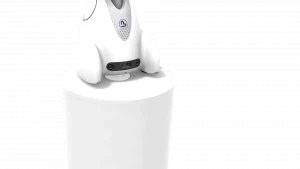
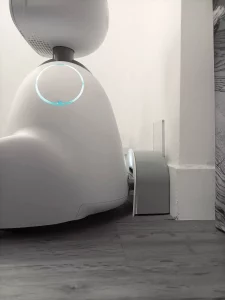
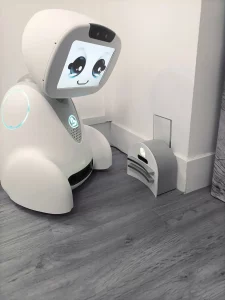
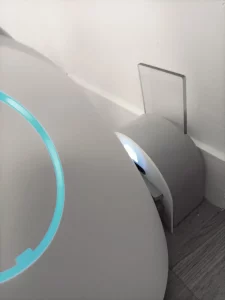
The Buddy Robot Docking Station allows your robot to recharge automatically, ensuring maximum availability throughout the day. When Buddy’s battery reaches a low level, the robot can autonomously navigate back to its charging station before returning to its activities.
As a result, Buddy remains operational with minimal human intervention, making it ideal for schools, healthcare facilities, businesses, research laboratories, museums and customer reception environments where continuous service is essential.
A Smart Charging Solution Designed for Buddy
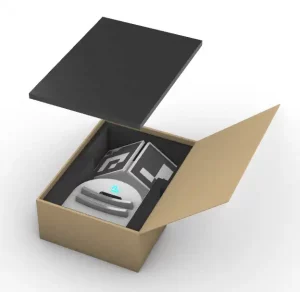
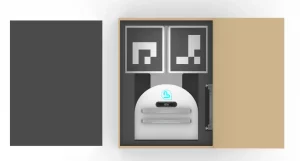
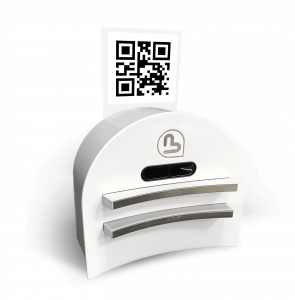
This accessories* has been specifically developed to work seamlessly with Buddy’s autonomous navigation system. The robot can accurately locate its charging dock and connect automatically whenever recharging is required.
In addition, the compact design allows the docking station to integrate easily into professional environments without disrupting daily operations. Using Buddy’s original power supply, it provides a reliable, secure and fully automated charging solution that helps maximize the robot’s uptime.
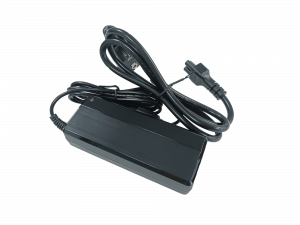
*Attention, delivered without power cable. Please use the power cable supplied with your Buddy robot.
Why Choose the Buddy Robot Docking Station?

Fully Autonomous Charging
Buddy automatically returns to its docking station whenever the battery level becomes low, reducing manual intervention and improving operational efficiency.

Reduce Maintenance Effort
By automating the charging process, teams spend less time managing the robot and more time focusing on their activities.

Compact and Professional Design
The docking station integrates easily into offices, reception areas, classrooms, hospitals and research facilities while maintaining a discreet appearance.
FAQ – Docking Station For Buddy
This accessories is an autonomous charging solution designed specifically for the Buddy robot. As a result, Buddy can automatically recharge its battery and remain available for continuous operation.
Yes. Thanks to Buddy’s autonomous navigation capabilities, the robot can detect when its battery level is low, locate the docking station and return to it automatically for recharging.
Yes. The docking station is quick to install using Buddy’s standard power adapter. Once configured, it operates automatically with the robot’s navigation system.
DOWNLOAD
Find here all the documentation relating to this accessory.
Product sheet
USER GUIDE
DISCOVER OUR OTHER accessories
Buddy has many accessories to enhance his abilities, discover them below.